








Itv.v59.031 Software
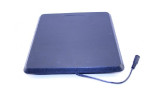
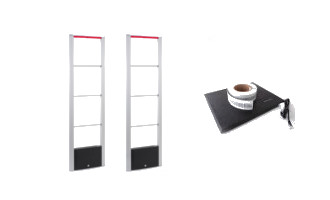
Before diving into the software, let's inventory the hardware:
Why software matters: The firmware on the 25Q32 chip contains not only the operating system but also the panel timing parameters (T-CON settings). If you flash the wrong software, the screen will display garbled images or snow.
Product Type: LED/LCD Universal Mainboard Firmware Version ID: Itv.v59.031 Release Category: System Software / Service Update
| Problem | Likely Cause | Solution |
| :--- | :--- | :--- |
| USB flash doesn't start | Wrong file name or USB > 4GB | Rename to bin_V59.bin; Use 2GB USB |
| Flashing stops at 50% | Corrupted download | Redownload firmware; check file size |
| Image is upside down | Wrong panel orientation setting | Edit V59_Config.ini or use remote service menu (Source + 1147) |
| Colors are purple/pink | Bit mismatch (8bit vs 6bit) | Find software matching your LCD panel spec |
| "No Signal" on all ports | Firmware missing decoder keys | You need vendor-specific SDK firmware, not generic |
| Category | Score (out of 10) | |----------|------------------| | Hardware value | 9 | | Software stability | 7 | | Ease of use | 4 | | Documentation | 2 | | USB media support | 5 | | Flexibility | 8 | | Overall | 6.5/10 |
Bottom line: The ITV.V59.031 is powerful for its price if you know how to match it to your LVDS panel. For general users, the configuration learning curve is steep. For DIY electronics enthusiasts, it’s a useful tool.
ITV.V59.031 is a universal LCD/LED TV mainboard software/firmware typically used for repairing or upgrading TVs with Chinese-manufactured universal boards. These boards are designed to be compatible with various panel sizes and resolutions, making them a common choice for technicians and DIY electronics repair. Technical Specifications
Based on technical reports for this specific firmware series: Board Type: Complete Universal Board. Main Chipset (Micro IC): TSUMV59XU-Z1. Flash IC: 25Q32.
Max Resolution: Supports up to 1920 x 1200 or 1080p, though common default panel resolutions are often set to 1366 x 768. Update Method: Typically performed via USB software update. Service Menu and Factory Codes
Technicians use specific remote control sequences to access hidden calibration and reset settings for this board: Standard Service Code: Menu + 1147.
Alternative Codes: Depending on the specific variant or brand, Input/Source + 2580 or Menu + 2008 may also work.
Function: Accessing this menu allows for display calibration, sound troubleshooting, and factory resets. Download and Resources
Software for this board is usually distributed as a .bin or .rar firmware file through technical communities.
Firmware Archives: Files are often hosted on platforms like Led tv Softwares or specialized Telegram groups.
Caution: Installing the wrong firmware version (e.g., mismatching the panel resolution) can lead to a "black screen" or distorted image. Always verify your Panel Number before flashing. Led tv Softwares - Facebook
Bringing Life Back to Your Screen: A Guide to ITV.V59.031 Firmware
If you have a "no-name" or universal LED TV that has suddenly decided to stop booting, or if you've replaced the mainboard with a universal kit, you’ve likely encountered the ITV.V59.031 universal board
. This small but mighty piece of hardware is a lifesaver for TV repair enthusiasts and DIYers looking to salvage high-quality panels. But the hardware is only half the battle; the ITV.V59.031 software (firmware) is what makes the magic happen. What is ITV.V59.031 Software?
The ITV.V59.031 software is the operating system—the firmware—that controls the TV's functions. Because this board is "universal," the software needs to be configured to match the specific resolution of your screen, whether it's a small 15-inch monitor or a 42-inch Key Features & Specs Resolution Support: It handles everything from standard definition up to 1920 x 1200 Versatility: Works with a massive range of LED and LCD panels. Multimedia:
Usually includes a USB port for playing movies, music, and viewing photos directly. How to Install/Update the Firmware
Updating this board is surprisingly straightforward and doesn’t require expensive programmers. Here’s the typical process: Identify Your Resolution:
Before downloading, check your TV panel's model number to find its native resolution. Prepare the USB: Format a USB stick to Copy the File: Place the firmware file (usually named ) in the root directory of the USB. Flash the Board: Insert the USB into the TV. Plug in the power.
The indicator light will usually blink rapidly, showing the update is in progress. Do not turn off the power until the blinking stops! Troubleshooting Common Issues
If your screen looks "solarised" (distorted colours) or the image is upside down after a flash, don't panic! You can usually fix this in the Service Menu
. For most universal boards like this, you can access the service mode by pressing Menu + 1147 Input + 2580 on your remote. Final Thoughts
The ITV.V59.031 is one of the most cost-effective ways to repair a TV with a blown mainboard. Having the right software on hand is the difference between a piece of "e-waste" and a fully functional home entertainment center specific remote codes work with this board or where to find the latest firmware download links ITV.V59.031 Software Download Free 14 Sept 2025 —
Unlocking Your Display: A Guide to ITV.V59.031 Universal Board Software
If you have an older LED or LCD TV that has stopped working due to a faulty mainboard, you don't necessarily need to scrap the entire unit. Many technicians and DIY enthusiasts use universal TV boards ITV.V59.031 to bring these screens back to life. ITV.V59.031 is a popular universal controller board powered by the TSUMV59XU-Z1
microprocessor. It is designed to drive a wide range of display panels with resolutions up to 1920 x 1200 Key Features of the ITV.V59.031 Board Broad Compatibility : Supports various panel sizes and brands. High Resolution
: Capable of handling standard HD (1366x768) and Full HD (1920x1080) panels. Multiple Inputs
: Typically includes HDMI, VGA, AV, and USB ports for media playback. Hardware Customization Itv.v59.031 Software
: Features jumpers on the board to manually select panel voltage (3.3V, 5V, or 12V), ensuring you don't damage your display. How to Install the Software (Firmware)
Installing or updating the software on this board is typically done via a USB flash drive. Follow these general steps: ITV.V59.031 Software Download Free
The ITV.V59.031 is a popular universal LCD/LED TV controller board, often used to revive broken TVs or build custom displays. It is based on the TSUMV59XU-Z1 chipset and typically utilizes a 25Q32 flash IC for firmware.
Here is the content and support information regarding the software, firmware, and installation. 1. ITV.V59.031 Software/Firmware (BIN Files)
Purpose: The firmware (.bin file) tells the board what screen resolution and panel type to drive. Common Resolutions: Supports up to 1920x1200.
Where to Find: Firmware can be found on sites like Facebook (ledtvsoftwares), Telegram (hashmielecom), or GitHub.
Important: You must select the correct .bin file matching your panel's resolution (e.g., 1366x768, 1920x1080) and voltage (3.3V, 5V, or 12V). 2. USB Firmware Update Procedure
If your board supports USB updating (usually identified by a "USB" label), follow this process: Format: Format a USB drive to FAT32.
File Naming: Rename the required .bin file to bin_v59.bin or bin_v59S.bin.
Transfer: Copy the file to the root directory of the USB drive (not in a folder). Update: Disconnect power from the board. Plug the USB drive into the TV board.
Connect the power again. The LED status light will flash rapidly while updating. The TV will switch to standby when the upgrade is finished. 3. Service Menu Access
If the screen is displayed, but the picture is corrupted or upside down, enter the service menu to adjust settings: Code: Press Menu -> 1 1 4 7.
Setting: Go to Panel Settings to select the correct resolution/map. 4. Important Troubleshooting
Wrong Firmware: Using the wrong firmware can make the board "dead" (won't start).
Fixing a Dead Board: You must use an external SPI Flash Programmer (like an RT809F or CH341A) to re-program the 8-pin 25Q32 flash chip directly.
Screen Mapping: If the picture is distorted, use the service menu to change the LVDS map to "JEIDA" or "VESA," or change the bit depth (6-bit or 8-bit).
To give you the exact .bin file or technical steps you need, could you tell me: What is the resolution of your screen (e.g., What is the voltage required for your panel ( Are you using a 5-key or 7-key keypad?
If you have this info, I can help you find the right software or troubleshooting step. Led tv Softwares - Facebook
The ITV.V59.031 (often identified as T.VST59.031) software refers to the firmware used to drive a popular universal LCD/LED TV controller board. This hardware is a versatile, cost-effective replacement for original TV mainboards, compatible with a wide range of brands including Samsung, LG, and TCL. Core Board Features Processor: Typically utilizes the TSUMV59XU-Z1 micro IC.
Resolution Support: Capable of driving panels with resolutions up to 1920 x 1200.
Multimedia: The USB port supports both software updates and media playback for formats like MP3 and JPEG.
Voltage Versatility: Supports multiple panel voltages (3.3V, 5V, or 12V), which must be manually set via jumpers on the board before powering on. Firmware Installation & Updates
The software is critical for matching the controller board to a specific display panel's resolution and LVDS (Low-Voltage Differential Signaling) settings. USB Flash Drive Method:
Format a USB drive to FAT32 and copy the correct .bin firmware file to the root directory.
Insert the drive into the board's USB port while the power is off.
Power on the board; a blinking status LED usually indicates the update is in progress.
The TV may shut down automatically once the flash is complete.
ISP Programming: For boards that are "bricked" or unresponsive to USB updates, technicians may use a serial port board and ISP (In-System Programming) tools to flash the firmware directly to the 25Q32 flash IC. Accessing the Service Menu ITV.V59.031 Software Download Free
I couldn’t find any specific, verified information or an official article about “Itv.v59.031 Software” in public technical databases, manufacturer documentation, or software repositories.
Based on naming patterns commonly seen in embedded systems, “V59” typically refers to a video driver board (often used for LCD monitor/TV panels, such as those from T.VST or similar Chinese manufacturers). The number .031 may indicate a firmware version or a specific variant for a certain panel model or hardware revision. Before diving into the software, let's inventory the
If you are looking for:
Could you provide more context, such as:
With those details, I can help you further or help you write an article yourself.
The ITV.V59.031 software is the firmware used for the universal LCD/LED TV controller board of the same name. It is primarily used by technicians to repair or repurpose TV panels, allowing them to support various resolutions and interface with different hardware. Technical Specifications
The software is designed to run on a specific hardware architecture, typically identified by these components: Main Chipset (Micro IC): TSUMV59XU-Z1. Flash Memory (Flash IC): 25Q32.
Supported Resolutions: Ranges from HD (1366x768) to Full HD (1920x1080) and up to 1920x1200 depending on the specific firmware version used. Access and Service Codes
Technicians use "service codes" to access the hidden factory menu for calibration and configuration: Primary Service Menu Code: Menu + 1 1 4 7.
Alternative Codes: Depending on the remote or specific board variant, Input + 2 5 8 0 or Source + 2 5 8 0 may also work. Firmware Management
Updates: Software is usually installed or updated via a USB drive.
Purpose of Update: New firmware versions are used to fix display calibration issues, troubleshoot sound/input errors, or reset the TV to factory conditions.
Availability: Firmware downloads are often shared on technician forums and platforms like LEDTVSoftwares or Scribd.
Caution: Installing incorrect firmware can "brick" the board (render it unusable). Ensure the software version matches your specific panel resolution and hardware ID before attempting an update.
The software designation Itv.v59.031 (often identified as T.VST59.031) refers to the firmware for a popular universal analog TV control board used to repair or repurpose LED and LCD panels. This board is a "jack-of-all-trades" in the electronics repair world, designed to replace faulty original mainboards in TVs ranging from 14 to 32 inches. Core Technical Specifications
The software works in tandem with specific hardware components that define the board's capabilities:
Main Chipset: It typically utilizes the TSUMV59XU-Z1 or TSUMV59RUUL microprocessor.
Flash IC: Most versions use a 25Q32 flash chip for storing the firmware.
Supported Resolutions: The software supports a wide range of display resolutions, from standard 1366x768 up to Full HD 1920x1080 or even 1920x1200.
Input Ports: The firmware manages multiple inputs, including HDMI, VGA (PC-RGB), AV (CVBS), and USB for multimedia playback and further software updates. Software Functionality & Customization
Unlike fixed-brand software, Itv.v59.031 firmware is highly modular. Technicians use different "bin" files depending on the specific panel being used.
USB Multimedia: The software includes a built-in media player capable of playing MP3s and viewing JPEG images directly from a USB drive.
OSD Languages: It generally supports a variety of languages, including English, French, Farsi, Indonesian, Spanish, Arabic, and Hindi.
Voltage Management: The software must be paired with correct physical jumper settings on the board (3.3V, 5V, or 12V) to ensure the firmware-driven signals do not damage the LCD panel. Installation and Flashing Process
The software is usually updated or installed via a USB interface: ITV.V59.031 Software Download Free
I couldn’t find any specific article or official documentation for “Itv.v59.031 Software” in my knowledge base or search results.
It appears to be a firmware or software version identifier, most likely for:
If you’re looking for:
If you meant a different title or need help with using that firmware (e.g., flashing, remote control codes, panel configuration), let me know and I’ll help further.
The ITV.V59.031 is a popular universal LCD/LED TV controller board used for repairing or upgrading televisions up to 32 inches. Because it is a universal board, you must install the specific firmware (software) that matches your screen's resolution to make it work correctly. Key Specifications of the ITV.V59.031 Board Card Type: Universal Controller Board. Resolution Support: Up to
Power Input: DC 12V (requires approximately 2000mA without load).
Connectivity: Includes HDMI, VGA, AV, USB, and RF (Tuner) ports. Why software matters: The firmware on the 25Q32
USB Multimedia: Supports playback of MP3, MP4, MKV, JPG, and text files. Firmware Download Options
You can find firmware files for various panel resolutions on specialized repair sites. Common files available for download include: 1366 x 768 (Standard HD) 1920 x 1080 (Full HD) 1440 x 900 1680 x 1050
Mirror Software (used if the picture appears upside down after installation)
Sources like Dip Electronics LAB and the Led tv Softwares Facebook page provide direct links to these flash files. How to Install the Software Download the firmware file matching your TV's resolution. Format a USB drive to FAT32.
Copy the software file (usually a .bin file) to the root directory of the USB drive. Insert the USB into the board and turn on the power.
Wait for the indicator light to blink rapidly, which signals the update is in progress. Do not turn off the power until the blinking stops. ITV.V59.031 Software Download Free
Please provide more context, and I'll do my best to craft a piece that meets your needs.
If you're looking for a general description, here's a starting point:
Introduction to Itv.v59.031 Software
Itv.v59.031 Software is a [ specify the type of software, e.g., video editing, antivirus, operating system, etc. ] designed to [briefly describe its primary function]. This software is part of a series of updates and improvements aimed at enhancing user experience, security, and performance.
Key Features and Benefits
Target Audience and Applications
Itv.v59.031 Software is ideal for [identify the target users or industries]. Its applications span [list specific scenarios or sectors where the software is particularly useful].
ITV.V59.031 (commonly identified as T.VST59.031 ) is a popular universal LCD/LED TV controller board often used for repairing or repurposing old TV panels. Key Software & Technical Overview Universal Compatibility
: It is a complete universal board supporting resolutions up to 1920 x 1200
, making it suitable for a wide range of monitors and TV panels. Hardware Base : The board typically features a TSUMV59XU-Z1 micro IC and a USB Multimedia : The USB slot is dual-purpose; it is used for firmware updates and playing multimedia files like MP3s and JPEGs. User Experience & Review Highlights
Reviews and technician tutorials highlight the board's versatility but emphasize the "hands-on" nature of its software setup: Ease of Programming : One of the most praised features is its USB-based flashing
. You simply insert a USB drive with the correct firmware, power on the board, and it programs itself within seconds. Advanced Control : For better picture quality, users often access the Service Menu (commonly via Menu + 1147 ) to adjust LVDS mapping and display calibration. Voltage Safety
: An "interesting" (and critical) point mentioned by technicians is that while the software is flexible, you must manually match the jumper settings
(3.3V, 5V, or 12V) to your specific panel before powering on, or you risk damaging the hardware regardless of the software configuration. Service Codes
If you are currently using this software, these common codes are essential for unlocking hidden settings: Standard Service Menu Menu + 1147 Alternative Service Menu Menu + 2580 resolution codes for your particular TV panel? ITV.V59.031 Software Download Free
1. Outdated User Interface
2. Limited Smart Features
3. Screen Matching Issues (Panel ID)
4. USB Limitations
The Itv.v59.031 software is the lifeblood of millions of budget TVs and DIY monitors. While the board is robust, the SPI flash memory has a finite life (typically 100,000 write cycles). Once the firmware corrupts, the TV becomes e-waste unless you flash it.
Key takeaways:
By understanding the nuances of the TSUMV59 platform and the specific itv.v59.031 variant, you can repair a "dead" TV in under 10 minutes for zero cost. Whether you are a professional repair technician or a weekend upcycler, mastering this firmware turns a bricked board into a working display once again.
Need specific firmware? Post your Panel ID (found on a sticker on the back of the LCD glass) in repair forums. The community maintains massive archives of Itv.v59.031 dumps for nearly every panel manufactured between 2012-2018.
| Aspect | Rating | Comments | |--------|--------|----------| | Image quality | 7/10 | Acceptable for basic use; no advanced scaling | | Input lag | ~20-30ms | Noticeable for fast gaming, fine for desktop/video | | USB playback stability | 6/10 | Choppy with high-bitrate 1080p, occasional freeze | | Ease of configuration | 4/10 | Requires technical knowledge (panel specs, hex editing) | | Build of software | 7/10 | No major bugs, no random reboots | | Documentation | 2/10 | Almost zero official docs; community-sourced only |