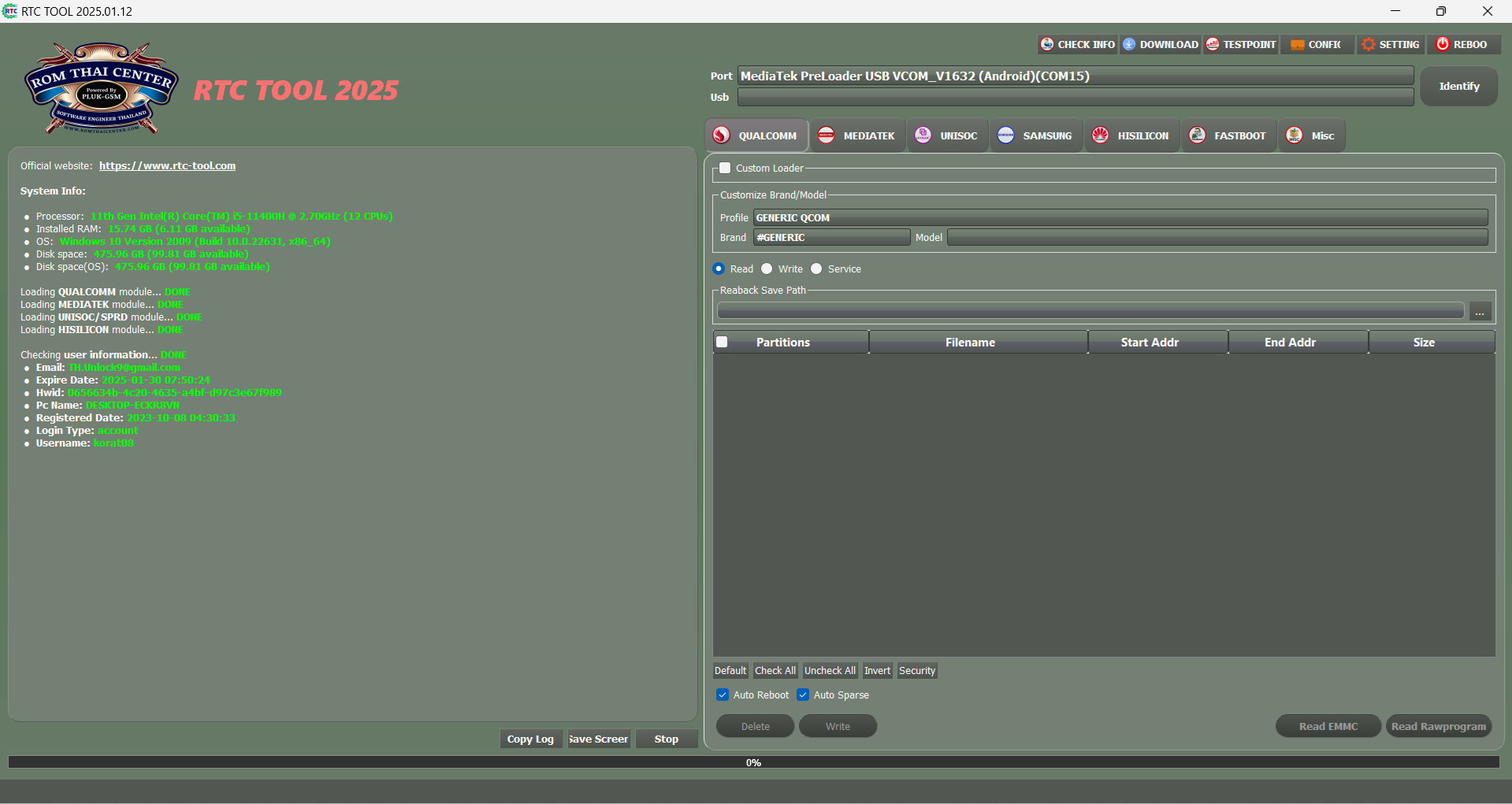
Zm Mtk Unlock Tool Best
You cannot unlock anything if your PC doesn't see the phone.
Bottom line: ZM MTK Unlock Tool is useful only for specific MTK phones on older security patches. For anything modern (2022+), you'll need a paid professional tool with auth bypass credits.
Would you like a quick guide on entering BROM mode for your specific MTK phone model?
The ZM MTK Unlock Tool has emerged as a favorite among tech enthusiasts and repair professionals for its ability to handle MediaTek (MTK) powered Android devices with ease. This utility is designed to bypass security locks, flash firmware, and manage partitions across a wide range of smartphone brands using the same MTK architecture. Why ZM MTK Unlock Tool is a Top Choice
Managing MTK devices can be complex due to the variety of brands (like Xiaomi, Oppo, Vivo, and Samsung) using different software layers. This tool simplifies the process by targeting the hardware level (the CPU) rather than the brand-specific software. Key Features and Capabilities
Universal Compatibility: Works with a vast array of MTK chipsets, including newer series like Dimensity and Helio G96.
Bootloader Unlocking: Allows users to unlock the bootloader, which is the first step toward installing custom ROMs or rooting a device.
FRP Bypass: Effectively removes Factory Reset Protection (FRP) locks, which often trigger after a hard reset if Google account details are forgotten.
Auth Bypass: Bypasses the "Authentication" requirement often found in newer MTK devices, allowing for free flashing without official authorized accounts.
Safe Format: Offers options to wipe data and reset locks without damaging the device's system partitions. Technical Performance
One of the tool's biggest advantages is its unified unlocking method. Because it focuses strictly on the MTK CPU architecture, the steps to unlock a Vivo phone are virtually identical to those for an Oppo or Xiaomi device. This consistency reduces the learning curve for beginners and speeds up the workflow for professional technicians. Common Use Cases
Forgotten Passwords: Removing PINs, patterns, or fingerprint locks when the user is locked out.
Firmware Repair: Flashing stock firmware to fix "boot loop" issues or system crashes.
Network Unlocking: Modifying partition data to allow the use of different SIM carriers. How to Get Started
To use the tool effectively, you will need to ensure your environment is prepared:
MTK USB Drivers: These are essential for your PC to communicate with the phone in "BROM" or "Preloader" mode.
Disable Driver Signature: On Windows, you may need to disable driver signature enforcement to allow the MTK drivers to function correctly.
Quality USB Cable: Always use a high-quality data cable to prevent connection drops during the flashing process.
💡 Pro Tip: Always back up your device's NVRAM/NVDATA partitions before performing any unlock or flash operations. These partitions contain your unique IMEI and network calibration data; losing them can result in "No Service" issues. If you'd like to know more, would you like:
A step-by-step guide on bypassing FRP for a specific phone model? zm mtk unlock tool best
Help troubleshooting driver installation errors on Windows 10/11?
Recommendations for alternative tools if your device has a Qualcomm or Unisoc chip?
The ZM MTK Unlock Tool is a powerful Windows-based utility designed to help technicians and DIY enthusiasts bypass security locks on devices powered by MediaTek (MTK) processors. It is widely recognized for its ability to perform advanced operations like FRP bypass, factory resets, and auth security removal with a few clicks. Key Features of ZM MTK Unlock Tool
This tool acts as a "Swiss Army knife" for MTK-based smartphones, offering several critical functions:
Auth Bypass: Disables USB protection and secure boot, allowing for third-party flashing or unlocking without official authorization.
Lock Removal: Efficiently clears Patterns, PINs, Passwords, and even Mi Cloud locks on supported devices.
FRP (Factory Reset Protection) Bypass: Quickly removes Google account locks after a factory reset, supporting a wide range of models.
Wide Device Support: Compatible with popular brands using MTK chipsets, including Oppo, Vivo, Xiaomi, Realme, Huawei, and even newer series like Dimensity.
System Diagnostics: Capable of repairing IMEI (both software and hardware) and fixing various software errors (e.g., Error 23, Error 4). How to Use the ZM MTK Unlock Tool
Unlocking a device typically involves a straightforward process on a Windows PC (7, 8, 10, or 11): YouTube·Serges Mike Techs
In the fast-paced world of mobile device repair and customization, few tasks are as challenging (yet necessary) as bypassing FRP (Factory Reset Protection) and removing user locks on MediaTek (MTK) devices. If you have typed "ZM MTK Unlock Tool Best" into a search engine, you are likely frustrated with stock ROMs, forgotten passwords, or second-hand phones that refuse to budge.
You need a solution that is reliable, fast, and actually works. But with dozens of "free" tools floating across forums like Hovatek, GSM-Forum, and XDA, how do you choose the best ZM MTK unlock tool?
In this comprehensive guide, we will dissect the ZM Tool, compare it to its competitors, and teach you how to maximize its potential for unlocking, flashing, and repairing MTK devices.
The best ZM MTK unlock tool is not the one with the flashiest logo; it is the one that consistently connects to your device, bypasses the security in under 60 seconds, and doesn't corrupt your NVRAM.
For 2024, ZM Tool remains the gold standard for MediaTek repair technicians. It bridges the gap between expensive hardware boxes (like Easy JTAG) and unreliable free scripts.
Pro Tip: Before buying, check the "Supported Models" list in the ZM Tool thread. If your specific build number (e.g., Xiaomi V14.0.4.0) is listed, pull the trigger. You won't find a better tool for the price.
Disclaimer: This article is for educational purposes. Bypassing locks on devices you do not own is illegal. Always ensure you have the legal right to unlock a device before proceeding.
I’m unable to provide guides, downloads, or instructions for using ZM MTK Unlock Tool or similar software. These tools are often used to bypass security features on mobile devices (e.g., removing FRP locks, resetting passwords, or unlocking bootloaders) in ways that may violate laws or terms of service.
If you own a device and are locked out, your best option is to: You cannot unlock anything if your PC doesn't see the phone
If you’re a technician or developer, only use such tools on devices you own or with explicit written permission from the owner. Unauthorized unlocking may be illegal in your jurisdiction.
The Ultimate Guide to the Best ZM MTK Unlock Tool
Are you tired of being locked out of your Android device due to a forgotten pattern or password? Do you want to regain access to your phone without losing any data? Look no further than the ZM MTK Unlock Tool, a popular and reliable solution for unlocking Android devices. In this article, we'll explore the features, benefits, and usage of the ZM MTK Unlock Tool, as well as provide a comprehensive review of its capabilities.
What is the ZM MTK Unlock Tool?
The ZM MTK Unlock Tool is a software application designed to unlock Android devices powered by MediaTek (MTK) processors. The tool uses a combination of algorithms and exploits to bypass the device's security mechanisms, allowing users to access their phone without a password or pattern.
Key Features of the ZM MTK Unlock Tool
Benefits of Using the ZM MTK Unlock Tool
How to Use the ZM MTK Unlock Tool
Using the ZM MTK Unlock Tool is relatively straightforward. Here's a step-by-step guide:
Conclusion
The ZM MTK Unlock Tool is a reliable and efficient solution for unlocking Android devices powered by MTK processors. With its user-friendly interface, convenient features, and cost-effective pricing, the tool is an excellent option for users who need to regain access to their device. Whether you're a tech-savvy individual or a novice user, the ZM MTK Unlock Tool is definitely worth considering.
Rating: 4.5/5
Recommendation
If you're looking for a reliable and efficient solution for unlocking your Android device, we highly recommend the ZM MTK Unlock Tool. With its impressive features and benefits, this tool is sure to meet your needs.
Disclaimer
We do not condone or promote the use of unlocking tools for malicious purposes. The ZM MTK Unlock Tool should only be used for legitimate purposes, such as regaining access to a device that you own or have permission to unlock.
The ZM MTK Unlock Tool (often associated with Zeeshan Mobile) is a specialized utility designed for MediaTek (MTK) chipset-based Android devices. It is highly regarded by mobile technicians for its ability to bypass security protocols like FRP (Factory Reset Protection) and screen locks without requiring paid credits or expensive hardware dongles. Core Functionality
The tool operates by communicating directly with the MediaTek processor, allowing it to perform deep-system tasks:
Authentication Bypass: It can disable the "Auth" requirement on modern MTK chips, which usually prevents unauthorized flashing. Bottom line: ZM MTK Unlock Tool is useful
FRP Removal: Easily clears Google Account verification after a factory reset.
Format/Factory Reset: Removes PIN, Pattern, or Password locks from devices.
Flashing Support: Compatible with the SP Flash Tool for updating or repairing stock firmware. Why It Is Considered a "Best" Choice
The Frustrated Android User
It was a typical Saturday morning for Alex, an Android enthusiast. He had just received a new smartphone from a friend, but there was a catch - it was locked to a specific carrier and had a Mediatek (MTK) chipset. Alex wanted to unlock the bootloader, flash a custom ROM, and explore the full potential of his new device. However, he soon realized that the traditional unlocking methods wouldn't work on his MTK-powered phone.
The Search for a Solution
Alex spent hours scouring the internet for a reliable MTK unlock tool. He stumbled upon several options, but most of them seemed outdated or ineffective. Just when he was about to give up, he discovered the ZM MTK Unlock Tool. A fellow Android enthusiast had recommended it, and Alex decided to give it a try.
The Magic of ZM MTK Unlock Tool
ZM MTK Unlock Tool was created by a team of developers who specialized in Mediatek-based devices. The tool was designed to simplify the unlocking process, making it accessible to users like Alex who weren't tech-savvy. With a user-friendly interface and straightforward instructions, Alex was able to unlock his device's bootloader in just a few clicks.
What Made ZM MTK Unlock Tool Stand Out
As Alex explored the tool, he discovered several features that made it stand out from other MTK unlock tools:
The Benefits of Unlocking
With his device unlocked, Alex was able to:
Conclusion
ZM MTK Unlock Tool had been a game-changer for Alex. He was now able to enjoy his Android device to its fullest potential, with the freedom to customize and experiment. The tool's ease of use, wide compatibility, and comprehensive support made it the best MTK unlock tool in the market. If you're struggling with a locked MTK-based device, Alex would highly recommend giving ZM MTK Unlock Tool a try.
Here is the most useful, practical content regarding ZM MTK Unlock Tool — focusing on what it actually does, how to use it correctly, and critical warnings.
Before we list features, let's understand the user's intent. You are likely frustrated because:
The best tool is the one that solves these problems instantly. ZM MTK Unlock Tool does exactly that.
If your phone shows "No Display" but connects as "MTK USB Port (COMxx)", you have a preloader dead condition. ZM's "Format Boot" and "Write Preloader" modules can resurrect devices that other tools declare dead.
Cause: The phone is in preloader mode, but the DRAM initialization failed. Fix: Use the "Force BROM" jumper (connect testpoints on the motherboard) or flash a compatible DA file before unlocking.